Plugable USBC-9IN1E: When 125W Charging Matters
The Plugable USBC-9IN1E is worth shortlisting when you need one HDMI monitor, wired networking and a higher laptop charging ceiling. Its “140W” headline describes input, not power delivered to your computer. Start by checking whether your laptop can use the difference.
One HDMI screen. More connections. Conditional higher-power charging.
Shortlist it: one HDMI screen plus wired networking, cards or extra USB connections meet a real need.
Choose another category: you need two display outputs or a direct USB-C monitor connection. Compare hub and dock types first →
Affiliate disclosure: As an Amazon Associate I earn from qualifying purchases. Purchases through qualifying links may earn SmartNestLab a commission.
Research-based guide, not a hands-on test. Manufacturer specifications rechecked October 30, 2026; Amazon model identity was checked October 22. The power-budget diagram below is explanatory, not a product photograph.
View Plugable USBC-9IN1E photos & seller options on Amazon →Affiliate link. Product photos open on Amazon; match the exact model and selected variant before ordering.
When Can It Deliver 125W?
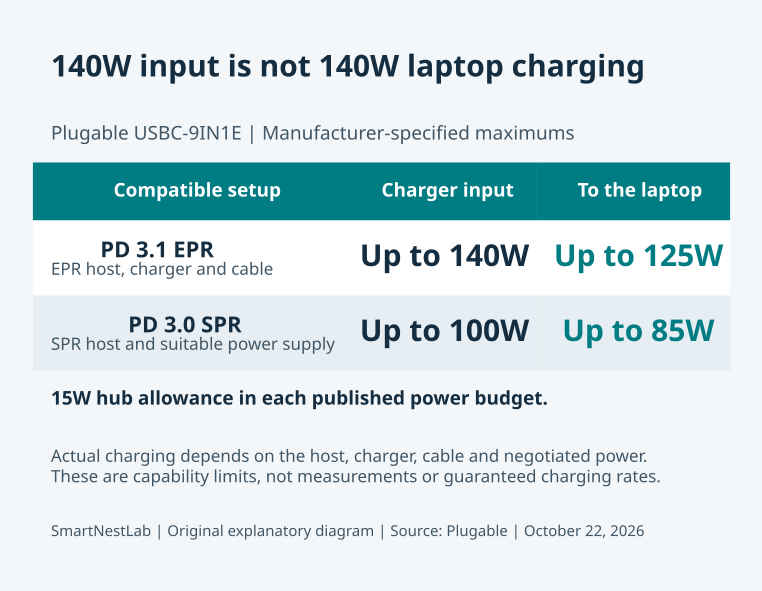
Plugable specifies up to 140W input and 125W to the host with a compatible PD 3.1 EPR laptop, EPR charger and cable. With a PD 3.0 SPR host, the published limits are 100W input and 85W to the laptop. Both budgets allow 15W for hub operation. Actual charging depends on the negotiated connection.
Read the exact laptop’s USB-C charging specification. Do not infer EPR support from a high-wattage original power adapter or a different charging connector. If the documentation is unclear, ask the laptop manufacturer about this hub before budgeting for a new charger.
What Connections Does It Add?
| Connection | Published capability |
|---|---|
| HDMI | One display; up to 4K 60Hz with DP 1.4, or 4K 30Hz with DP 1.2 |
| USB data | Two USB-A and one USB-C at up to 10Gbps; one additional USB-A at USB 2.0 speeds |
| Network and cards | Gigabit Ethernet; SD and microSD UHS-II readers |
| Charging input | USB-C PD; separate from the USB-C data port |
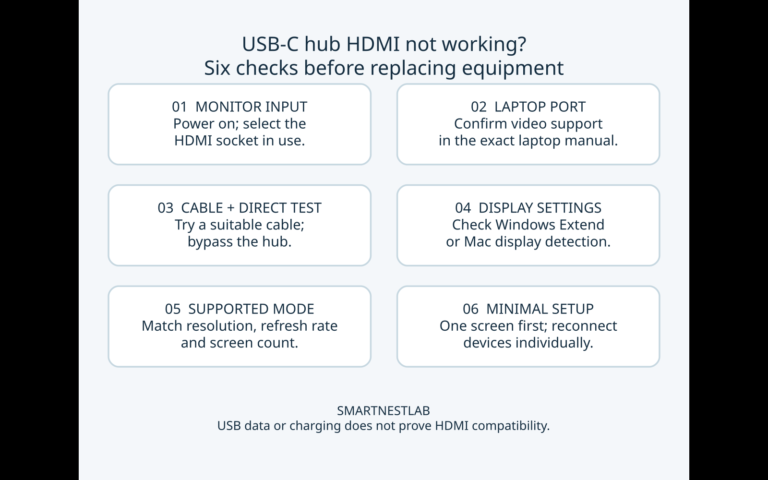
HDMI requires DisplayPort Alt Mode on the host port, plus a suitable display and HDMI cable. Neither USB-C socket outputs video, and this is not a two-display hub. For an existing blank screen, follow our HDMI troubleshooting checks before replacing hardware.
Should You Replace an Anker 555?
Anker rates the 555 A8383 for up to 85W laptop output. If that already supports your everyday work, replacing it merely for a larger input number is difficult to justify. Our Anker 555 guide covers its fit.
Consider a change only after identifying a specific unmet requirement. For charging, that means confirming both a need above the existing ceiling and a supported EPR setup. For more displays, use our hub versus dock guide to reconsider the accessory category.
Compare the Data Ports, Not Just the Charging Number
The published port layouts provide two other differences to assess against your own devices:
| Connection | Anker 555 A8383 | Plugable USBC-9IN1E |
|---|---|---|
| USB data sockets | Two USB-A and one USB-C, up to 10Gbps | Two USB-A and one USB-C up to 10Gbps, plus one USB-A at USB 2.0 speed |
| SD and microSD readers | UHS-I | UHS-II |
| Video output | One HDMI; no USB-C video | One HDMI; no USB-C video |
Map your plugs before ordering: this hypothetical plan uses all four USB data sockets. The charging input remains separate.
| Example device | Socket to reserve | Check on your device |
|---|---|---|
| USB-C SSD | USB-C data | A data cable and the drive’s power needs |
| USB-A webcam | One faster USB-A | The required interface and camera mode |
| USB-A keyboard | USB 2.0 | Whether the keyboard requires a faster connection |
| USB-A mouse | The other faster USB-A | Its receiver or wired connector |
Count the actual plugs, not just “9-in-1.” If a second USB-C data device is essential, this plan has no USB-C data socket left. A charging-only socket cannot take its place.
If you need only three USB connections and the Anker already handles your cards, the additional socket and reader interface may add little value. A UHS-II reader alone does not guarantee quicker file copies. Keep the current setup unless you can identify a missing connection or a workflow limitation.
Sources: Plugable’s USB and card-reader specifications and Anker’s A8383 port specifications.
Check the Complete Desk Setup
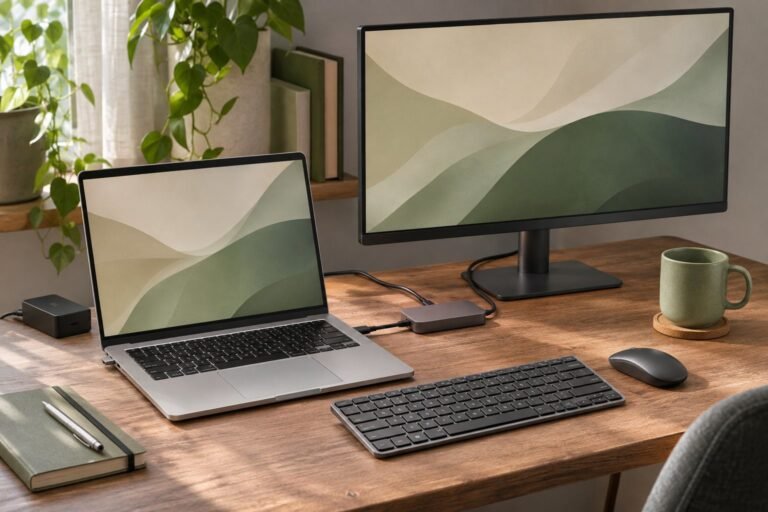
The body measures approximately 18.4 × 3.4 × 1.4cm (7.2 × 1.3 × 0.6 inches), weighs 133g and has a captive host cable about 19cm long. Measure the path from your laptop port to a supported resting place, especially with a laptop stand.
Before ordering, write down the exact laptop, intended USB-C port, charger model, charging cable and monitor mode. Check each item against Plugable’s specifications and compatibility notes. The box lists the hub and quick-start guide; include a suitable power supply and cable in your total setup cost.
Microsoft’s USB-C guidance identifies charger, cable and port limitations as possible causes of charging problems. A more powerful hub is not a diagnosis. If charging is already unreliable, run our six charging checks first.
Where to Check the Exact Model
Check seller options for Plugable USBC-9IN1E on Amazon — ASIN B0D9R5SNG1. Confirm the model, seller, delivery and return terms before purchase. No fixed Amazon price, stock status or rating is quoted here because offers can change.
Our recommendation: shortlist it for a documented charging or connection need. Keep a working hub if your current setup already does the job.