Anker 332 USB-C Hub: Is 5-in-1 Enough for Your Desk?
The Anker 332 USB-C hub (A8355) is a candidate for one HDMI monitor at up to 4K/30Hz and a few USB accessories. Check your laptop’s video support first. It leaves out Ethernet and memory-card readers.
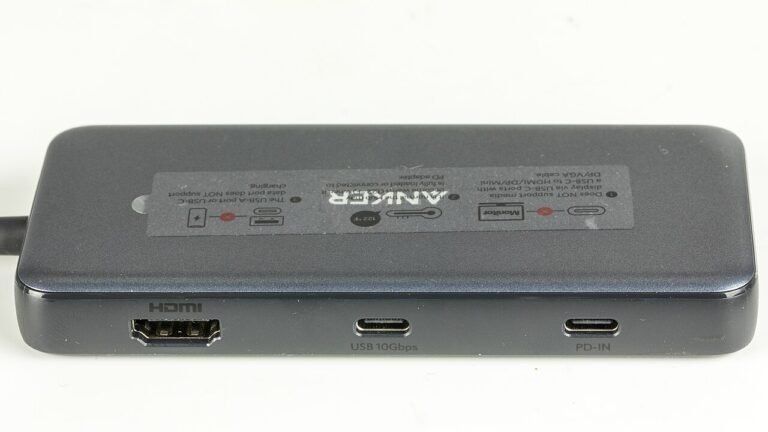
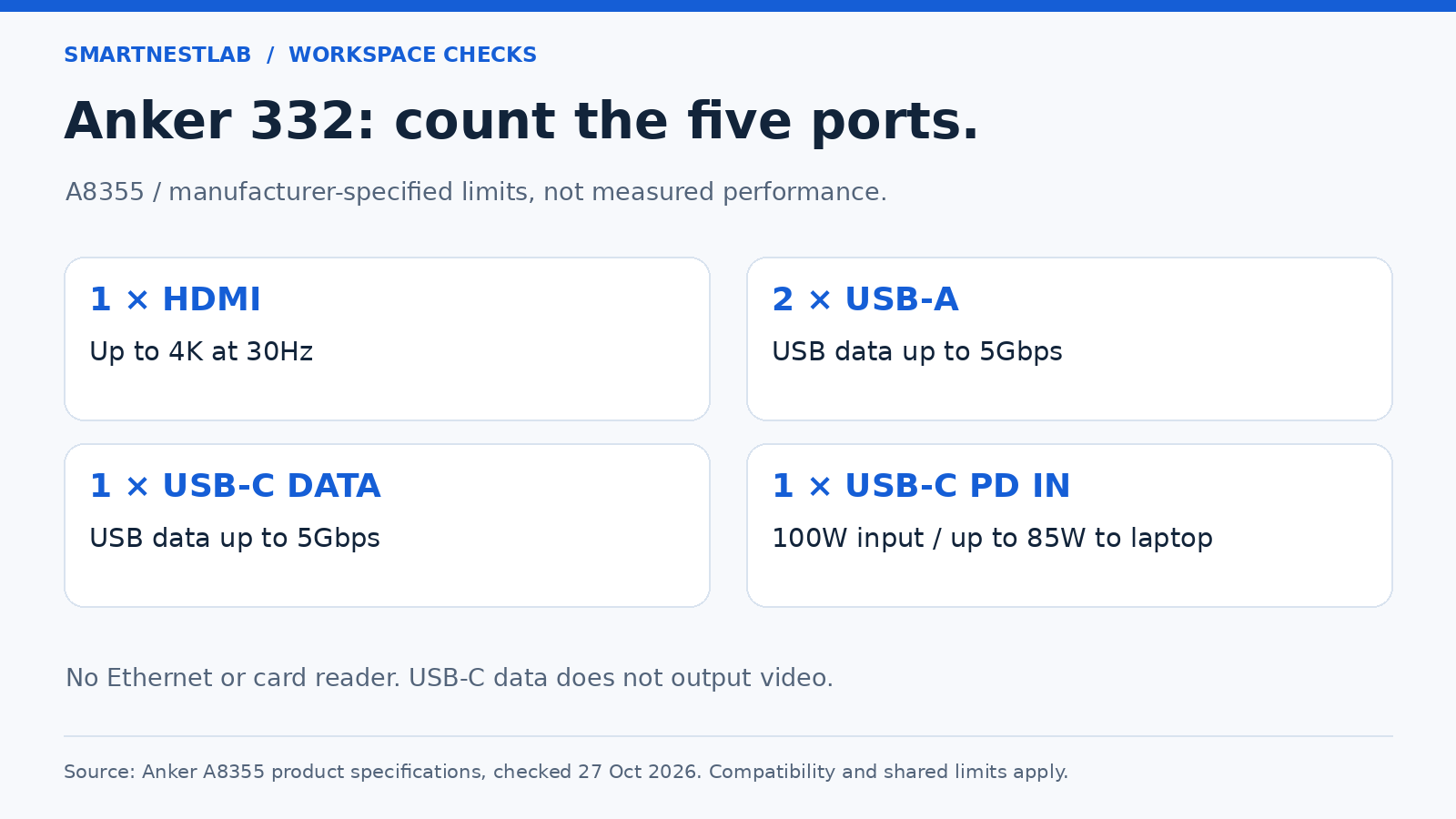
Research-based buying guide, not hands-on testing. The original port diagram below is explanatory, not a product photograph.
Affiliate disclosure: As an Amazon Associate, SmartNestLab earns from qualifying purchases.
Check Anker 332 A8355011 on Amazon →Affiliate link. Product photos open on Amazon; match the exact model and selected variant before ordering.
Which Anker 332 USB-C Hub Is This?
This guide covers the A8355 family, specifically the black A8355011 listing with ASIN B0BQLLB61B. Check the selected variant and model before ordering; similarly named hubs can have different dimensions or connections.
Five Ports: What You Get
| Connection | Published limit |
|---|---|
| One HDMI output | Up to 4K at 30Hz |
| Two USB-A data ports | Up to 5Gbps |
| One USB-C data port | Up to 5Gbps; no video output |
| One USB-C PD input | Up to 100W input; up to 85W to the laptop |
There is no Ethernet socket, SD reader, or microSD reader. The PD input is for power, not data. Avoid treating the USB data ports as a replacement for your regular phone charger. A PD charger is not included.
Check Your Laptop and Monitor First
The current Amazon listing specifies macOS 12 or newer, Windows 10/11, and ChromeOS, with DP Alt Mode and Power Delivery support. It lists Linux as incompatible. Confirm support for your exact laptop port rather than relying on the laptop brand alone.
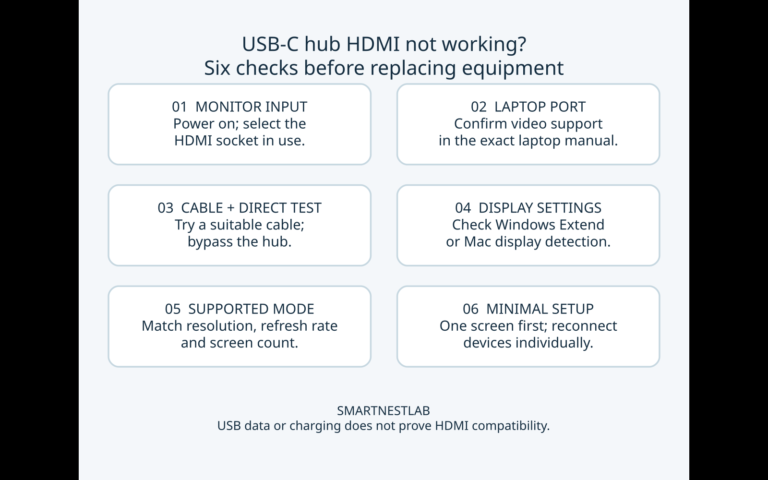
The USB-C data port cannot connect a USB-C monitor. Use the HDMI output for the external screen. If you want 4K at 60Hz, choose another documented solution; this hub’s stated ceiling is 4K at 30Hz. If the HDMI monitor shows no picture, follow our USB-C hub HDMI troubleshooting checklist before replacing equipment.
For two external monitors, start with our dual-monitor setup guide. Count your required connections before choosing a hub.
Will It Fit Beside a Laptop Stand?
Anker Japan lists A8355011 at approximately 12.2 × 4.1 × 1.2cm, with an attached cable around 19cm long. Its published weight is approximately 50g. Measure the cable route from your intended laptop port to a supported resting place.
With a raised laptop, check that the hub can rest on the desk without pulling on the connector. Allow room to insert cables and keep your mouse area clear. Our cable-management guide can help plan the layout.
Understand the 85W Charging Ceiling
The 100W figure describes maximum input, not laptop output. Anker reserves 15W for hub operation, leaving up to 85W for the laptop. A suitable charger and cable are required to reach that ceiling.
Compare that limit with your laptop manufacturer’s charging guidance and normal workload. If your laptop needs more power, retaining its separate charger may be more practical than expecting this hub to replace it. If your existing setup is not charging, follow our USB-C hub not charging checklist to check the input socket, cable, available power, and battery settings before replacing equipment.
Anker 332 or Anker 555?
| What your desk needs | Anker 332 A8355 | Anker 555 A8383 |
|---|---|---|
| One HDMI display | Up to 4K/30Hz | Up to 4K/60Hz with a suitable host |
| USB data | 2 USB-A + 1 USB-C, up to 5Gbps | 2 USB-A + 1 USB-C, up to 10Gbps |
| Wired networking / card readers | Neither | 1Gbps Ethernet; SD and microSD UHS-I |
| Maximum laptop pass-through charging | Up to 85W from suitable 100W PD input | Up to 85W from suitable 100W PD input |
| USB-C monitor output / two external screens | Not provided | Not provided |
These are manufacturer ceilings, not simultaneous measured results. The laptop port, display mode, cables and connected devices still matter. Port specifications rechecked against Anker A8355 and Anker A8383 on October 28, 2026; this is not a fresh Amazon price or stock check.
Next step for each model
- If the 332 covers your setup: Check Anker 332 A8355011 on Amazon (affiliate link). Compare the selected seller’s current price, delivery options, and return terms before purchasing.
- If you need the 555’s Ethernet or card readers: Read the Anker 555 buying guide to check your laptop and monitor compatibility. If you need 4K at 60 Hz even without Ethernet or card readers, check the Anker 555’s 4K 60 Hz compatibility requirements before buying.
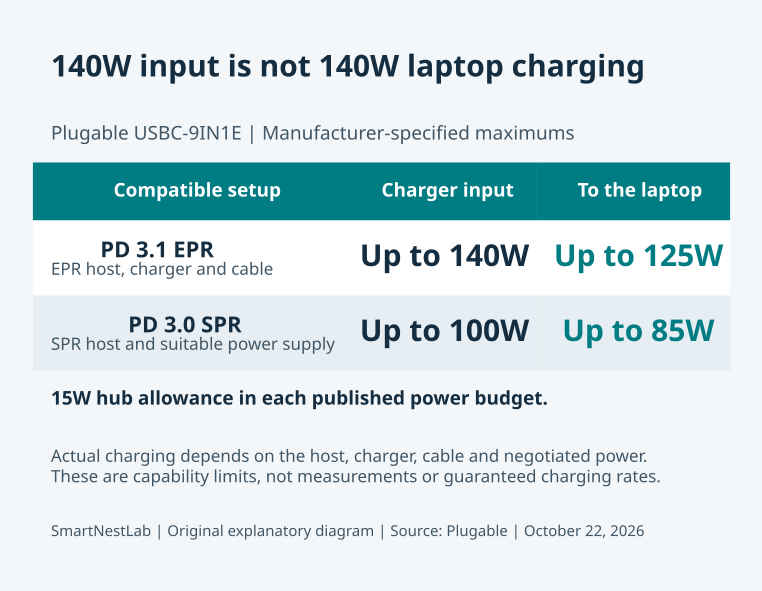
Use our single-monitor hub shortlist to compare the 332, 555 and USBC-9IN1E by display mode, networking and actual host charging needs.
See our worked five-connection desk plan to apply this comparison. The example separates one HDMI display, USB accessories, Ethernet and an SD reader before choosing a model. Choose based on missing connections. For a broader decision, use our hub vs docking station guide.
Sources and Verification
Model identity and specifications checked October 15, 2026 against Anker US, Anker Japan’s A8355011 specifications, and the Amazon listing above. No fixed Amazon price, stock promise, or rating is quoted.