
USB-C to HDMI Adapter vs. Hub: What Do You Need?
Connecting one HDMI monitor? Compare a USB-C to HDMI cable, a simple adapter, and a hub by video support, charging, and extra ports.
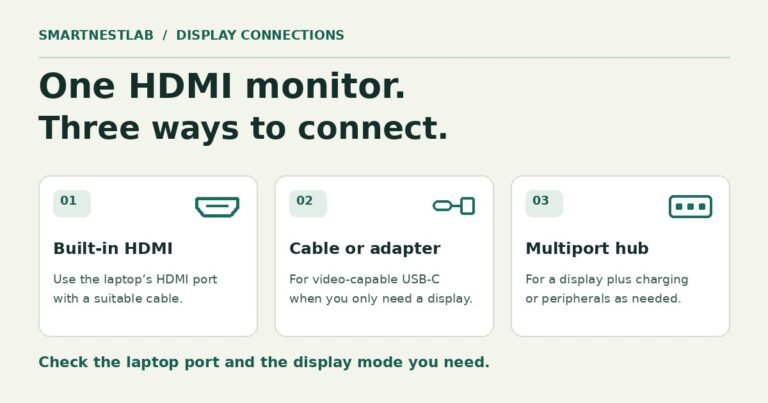
Connecting one HDMI monitor? Compare a USB-C to HDMI cable, a simple adapter, and a hub by video support, charging, and extra ports.
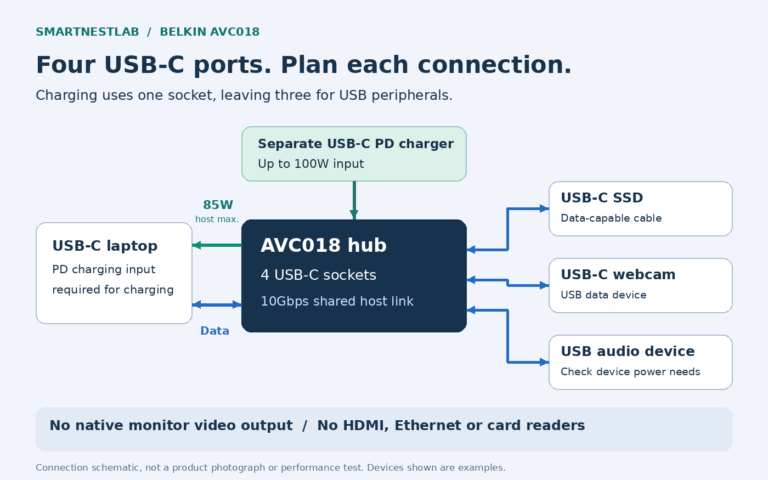
Need more USB-C data ports? Check the Belkin AVC018’s four-socket layout, 85W laptop charging ceiling and lack of monitor video output.
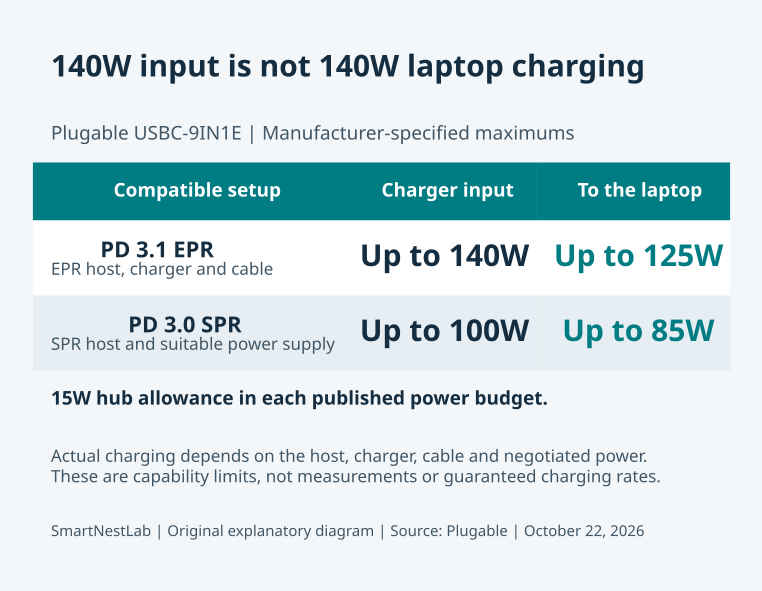
Considering the Plugable USBC-9IN1E? Check its 125W charging requirements, HDMI limits and desk fit before replacing your current USB-C hub.
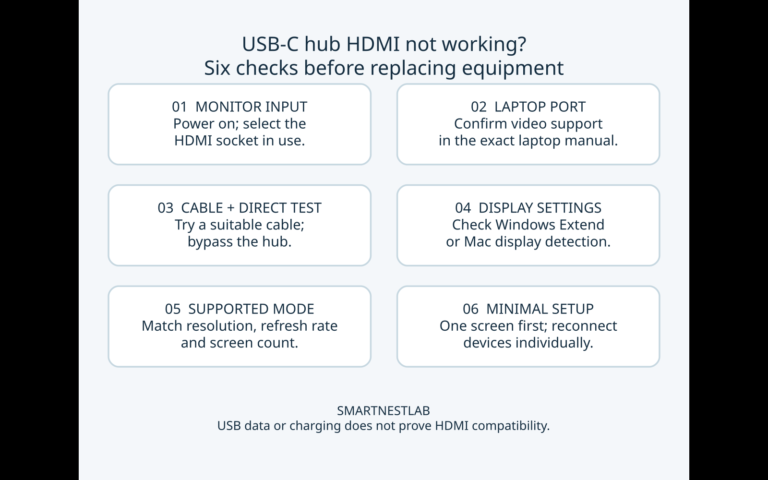
USB-C hub HDMI not working? Check the monitor input, laptop video support, cable, display settings and supported modes before replacing hardware.

USB-C hub not charging? Compare direct and hub charging, check the PD power budget, and record battery messages and test conditions before replacing equipment.
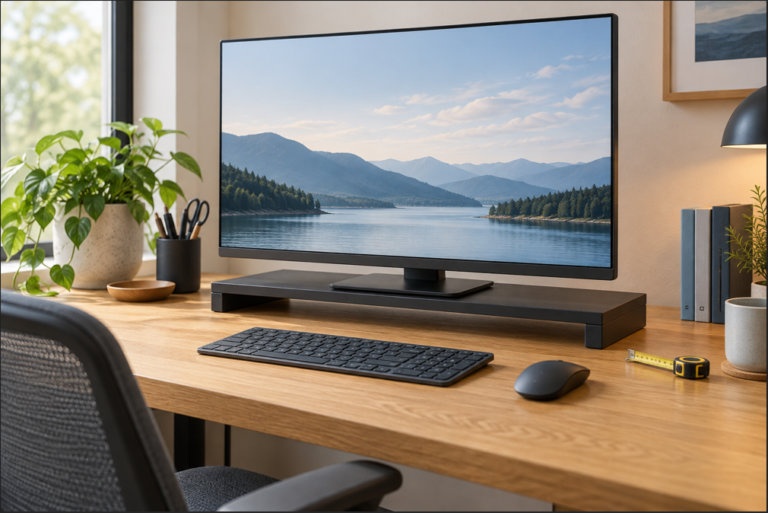
Check the 3M MS80B monitor stand before buying: its 1-inch minimum lift, height steps, 15-by-12-inch footprint, load limit, and desk fit.
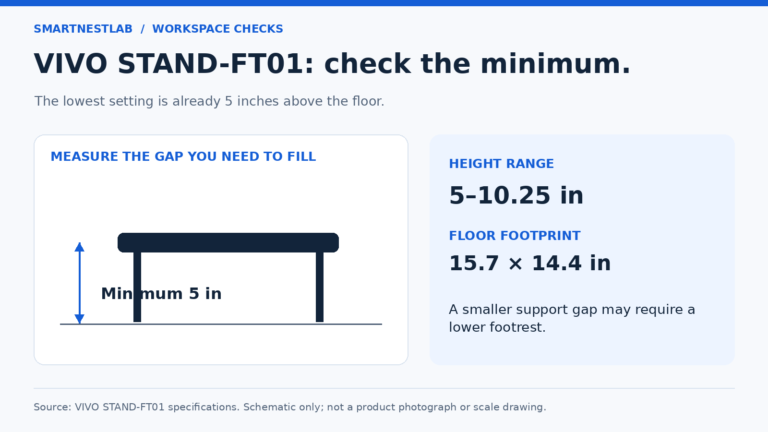
Check whether the VIVO STAND-FT01 footrest fits your desk: its 5-inch minimum height, adjustment range, floor space, and published safety limits.
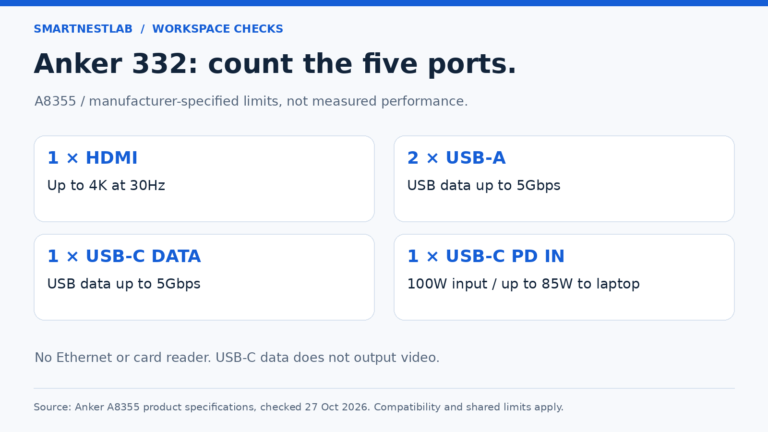
Check whether the Anker 332 USB-C hub fits your desk: 4K 30Hz HDMI, USB data ports, 85W laptop charging, compatibility, and cable reach.
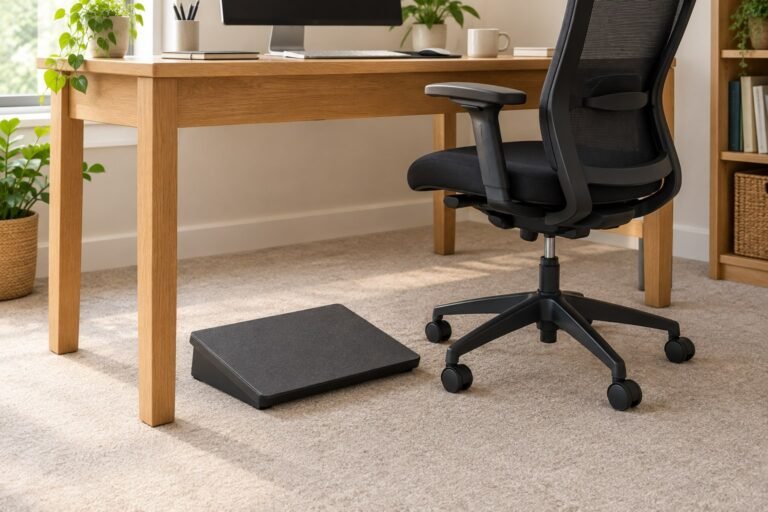
Will the Fellowes Breyta footrest fit your desk? Check its 49 × 36cm platform, height settings and a worked width-mismatch example before buying.
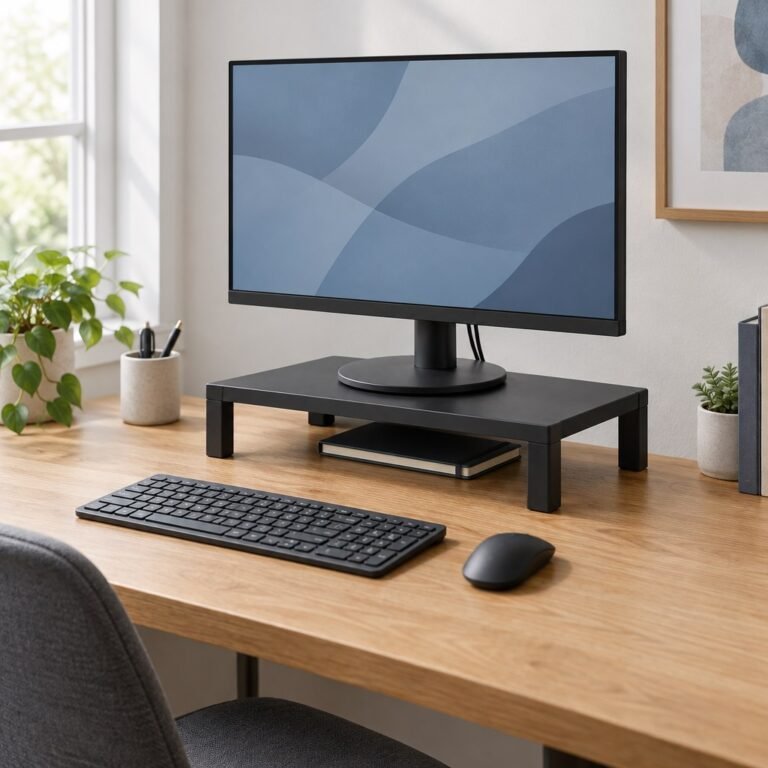
Compare three small-desk monitor risers from Kensington and VIVO. Check shelf size, minimum lift, adjustment method, screen limits and base support before buying.
We use cookies to improve your experience on our site. By using our site, you consent to cookies.
Manage your cookie preferences below:
Essential cookies enable basic functions and are necessary for the proper function of the website.
These cookies are needed for adding comments on this website.